GDPR Article 26 Compliance
Secure Data Sharing With Built-in Legal Protection
Invite partners, create automatic GDPR agreements and share exactly the data they need. Vehicles, employees, compliance, time and more. Granular control, instant recall and complete audit trail.
Specific data access
Share More Than Just Your Vehicle Data
Choose exactly what data your partners have access to – from vehicles to employees to compliance status
Vehicles
Share location, mileage, fuel status, tire data, fault codes and maintenance history. Choose exactly which vehicle data your partner should see.
Employees
Share time tracking, project hours, vacation balance, and compliance status. Partners can verify that drivers have valid licenses and certificates.
Inspections
Share inspection history with AI-based damage detection. Partners get access to documented damage, scratches and dents detected automatically by artificial intelligence.
Invite Partners In no time, directly on the platform
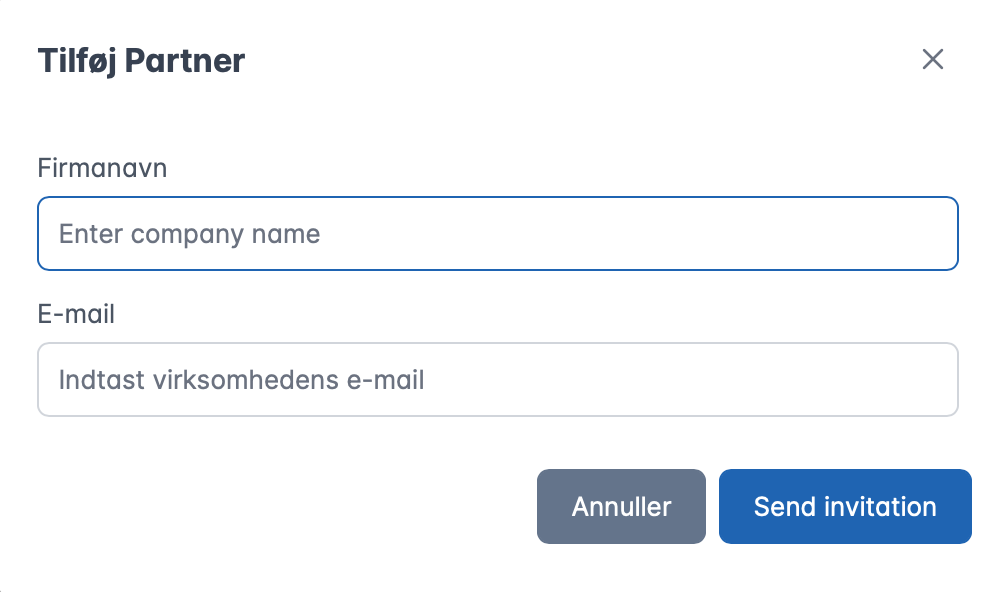
Enter the partner's company name and email – that's all you need. The system will send a professional invitation directly to their inbox. They don't need to have an Uptimus account to accept and view shared data.

Full Control Over What Data Is Shared
Choose exactly which categories and permissions the partner gets. Want to share only location but not driver names? Only inspections but not service costs? No problem.
- 30+ granular permission types
- Combine categories as you like
- Update permissions at any time
- GDPR data minimization built-in
Complete Traceability For Compliance
Every action in the system is automatically logged with full context. Perfect for documenting GDPR compliance to the Danish Data Protection Agency or internal audits.
- Who performed the action
- Exact time (timestamp)
- IP address for Security
- Export to PDF or other document

Manage All Partners in One Place
See all your active and past partnerships in a simple dashboard. Status, what data is shared, when the contract was signed and much more.
How It Works
From invitation to active data sharing in under 10 minutes
Invite Partner
Enter the partner's company name and email. They don't need Uptimus - the system will send an invitation directly to their inbox.
Select Data & Permissions
Decide exactly what is shared: vehicles, employees, compliance, time, tasks. Choose specific permissions per category. New vehicles/users can be automatically included.
Generate GDPR Agreement
The system auto-generates an Article 26 joint controller agreement with all details: company information, data categories, responsibilities and rights.
You Sign First
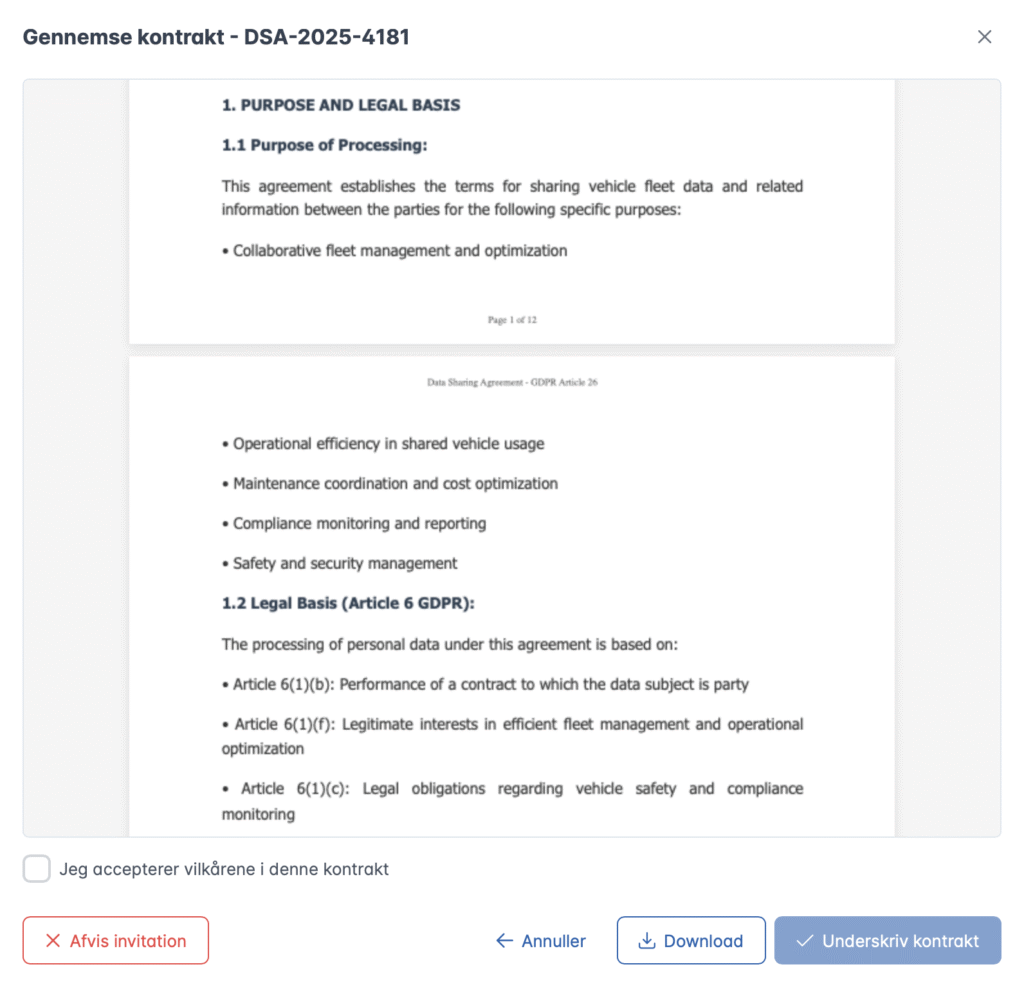
Review the contract and sign digitally. Your signature is recorded with your name, IP address and precise timestamp.
Partner Reviews & Accepts
The partner receives notification, reviews the contract and decides whether they accept the terms. Full transparency from the start.
Data Sharing Activates
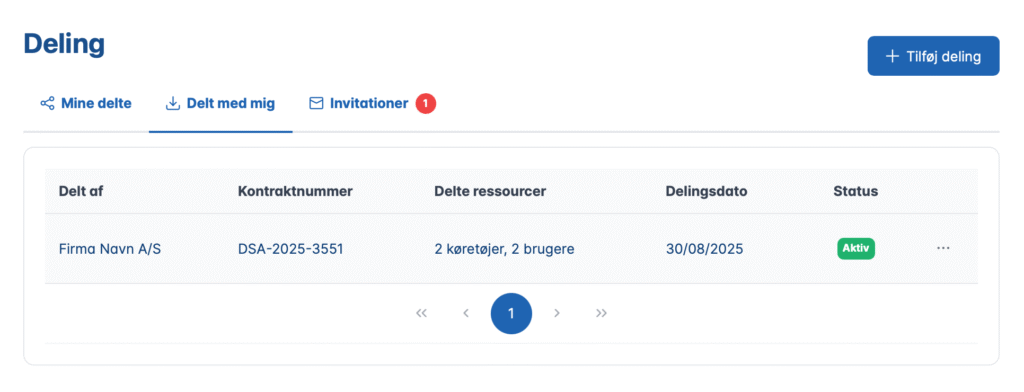
Once both have signed, access is activated immediately. The partner sees the shared data in their read-only interface. Contract can always be downloaded.
How the Partner Accepts and Signs
Active user, IP address and timestamp are automatically recorded for full traceability.
All Data Categories
Choose exactly what data your partners have access to – from vehicles to employees to compliance status
Vehicles
- General & mileage
- Position & routes
- Fuel & tire status
- Error codes & service alerts
Tasks
- See tasks
- Create new tasks
- Edit existing tasks
- Delete completed tasks
Services
- Maintenance history
- Book new services
- Update service status
- Service costs
Inspections
- Inspection history
- Perform inspections
- Book inspections
- AI damage detection data
Routes & logistics
- See planed routes
- Edit delivery orders
- Cancel orders
- Traffic violations
Time registration
- Total working hours
- Individual working hours
- Hours on projects
- Absence and holiday
Employees
- See users
- Compliance status
- Documents and certificates
- Driver's license validation
Uptimus vs. Traditional Data Sharing
See the difference between solutions with and without legal protection
Function
Others
Uptimus
Technical data sharing
Article 26 GDPR agreements
Digital signatures
(Just "accept")
(Two-step with IP log)
Partner needs an account?
(Both must pay)
(Free for partners)
Granular permissions
(All or nothing)
(30+ types)
Add new units
(Manually)
Download contracts
(No contracts)
Immediate termination
(Unclear)
Complete audit trail
(Basic logs)
(Full compliance)
Get answers to your questions
Article 26 requires companies that share the processing of personal data (joint controllers) to enter into formal agreements. Uptimus automatically generates these agreements with clear definitions of responsibilities.
Everything from vehicles (position, mileage, fuel), tasks, services, inspections, routes, time tracking to employee compliance. You choose precisely with 30+ granular permissions.
No. Partners only get read-only access. They can view the shared data, but cannot change, delete, or create anything (unless you explicitly give them edit rights).
Yes. Digital signatures with IP registration and timestamps are legally valid. Contracts can be downloaded as PDF for evidence.
No problem. They can reject the contract, and you can discuss changes. Create a new contract with updated terms. No data is shared until both parties agree.
No. The partner only receives an invitation via email, reviews the contract, and signs. They don't need an account or license. Only your company pays.
Yes, if you choose. New vehicles and employees can be automatically included in existing agreements. No manual update required.
Either party can terminate at any time. Access is removed immediately - not after 30 days. Contract history is retained for audit.
Yes, always. Both you and your partner can download the contract PDF at any time. Perfect for internal audits, legal reviews, or regulatory compliance.
Yes. Each partner gets their own contract with unique permissions. Partner A can get vehicle data, while Partner B gets time tracking. Full flexibility.
Only if you give them permission. You can choose to share compliance status (driver's license, certificates) so partners can verify that drivers are qualified.
Wireless Fleet management
Ready to take control of your fleet?
Book a 20-minute demo where we show you Uptimus with your own vehicles. Or start for free with up to 2 cars – no credit card required.
Do you have 20+ vehicles? We offer volume pricing and dedicated onboarding.